

How to make email look beautiful by using HTML.
So, today I have been looking at some of our standard email templates used in the team and updating them to a new style. Easy right.
It started off with creating the html. That was easy with using my favourite UI Visual Studio Code.
Had the content and formatting reviewed, spelling checked and double checked all good to go.
Then to make the actual email template. Easy you say, so does the internet. Here is what the internet says:
Step 1
Open a new Email
Step 2
Click on Attach File
Step 3
Select File
Step 4
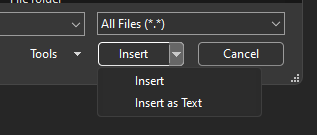
Click on the dropdown by Insert and click “Insert Text”
Urm… pardon step 4? I only get Open
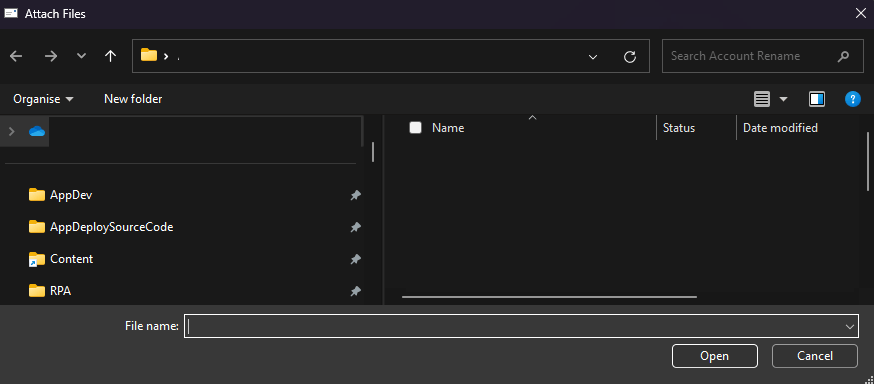
A bit of research later and I find this article so I diligintly followed the steps:
1. Make sure you added the Attach option to the Quick Access Toolbar and use it to attach the file
2. After you Insert File, you click the drop down on Insert to pick Insert as Text
Nope, no luck its still the same Open as before.
Queue more Google and Copilot and after about an hour of and on of searching, this gem popped up and mentioned about a potential addin, and in particular Mimecast.
So, manually disabled the Mimecast addin

and hey-presto, I get the button I am looking for.
Hope this helps anyone as lost as I have been today.






 Lilys Dad
Leave a comment